Bills and subscriptions
Record the amount, cycle and end date. Track trial periods, renewals and cancellation deadlines.
HOUSEHOLD FINANCES
See what’s due across bills, renewing subscriptions and fixed instalment schedules. Update the details when something changes.
Free closed beta by invitation
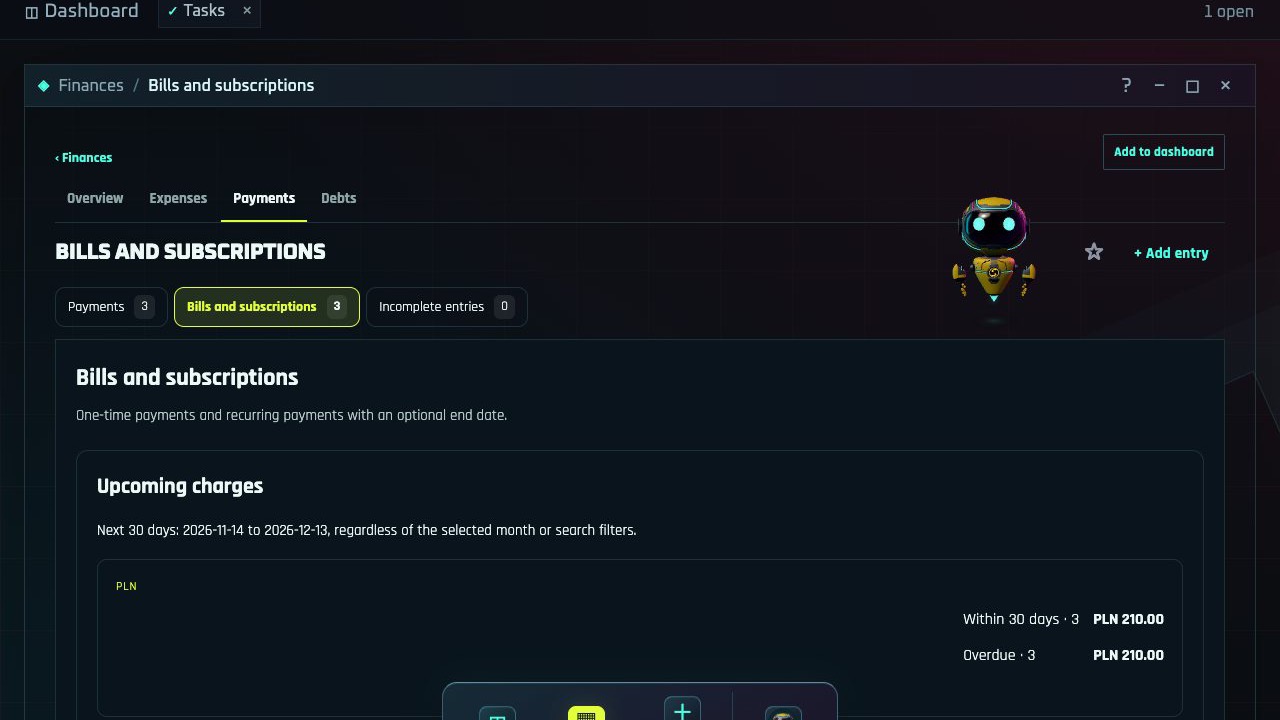
Record the amount, cycle and end date. Track trial periods, renewals and cancellation deadlines.
Set the number of instalments and the final payment date. Change names, dates or amounts whenever the plan changes.
Record full payments, part payments and overpayments. Totals use your recorded payments and are grouped by currency.
ONE EVERYDAY EXAMPLE
Enter the amount, due dates and number of instalments.
Choose how many days before payment you want a reminder.
The paid item updates your totals and closes its linked reminder.
Dockvi records due dates and payments. It does not make transfers or pull data directly from your bank account.
Record a one-off payment, end a recurring plan or set a fixed instalment schedule.
Edit the payment or schedule. For subscriptions, you can also record a new price from a specific date.
START WITH ONE THING
Already have an invitation? Your tools are waiting in Dockvi.