Keep what matters within reach.
Add widgets from available apps, choose their views and set the order. Find the dashboard customisation controls at the bottom of the page.
Explore your dashboardDOCKVI // DAY PLANNER // BETA
Capture. Plan. Done.
Less switching. More done. Keep tasks, your calendar, notes, shopping and your own dashboard in one place. Turn a thought into a task and see your dates together on your calendar.
Closed beta · by invitation · active
CHAOS SCANNER
Sticky notes, reminders across five apps and decisions you can’t quite find. Dockvi brings them together and turns them into a daily plan you can see on one screen.
Add widgets from available apps, choose their views and set the order. Find the dashboard customisation controls at the bottom of the page.
Explore your dashboardLocal commands help collect the details of a task, reminder or shopping item. Review the suggestion, then confirm to save.
How commands workBring your plans together with notes, conversations and shopping. Finances, Mail, Boards, Family and Time off are available when assigned to your account.
See apps and plans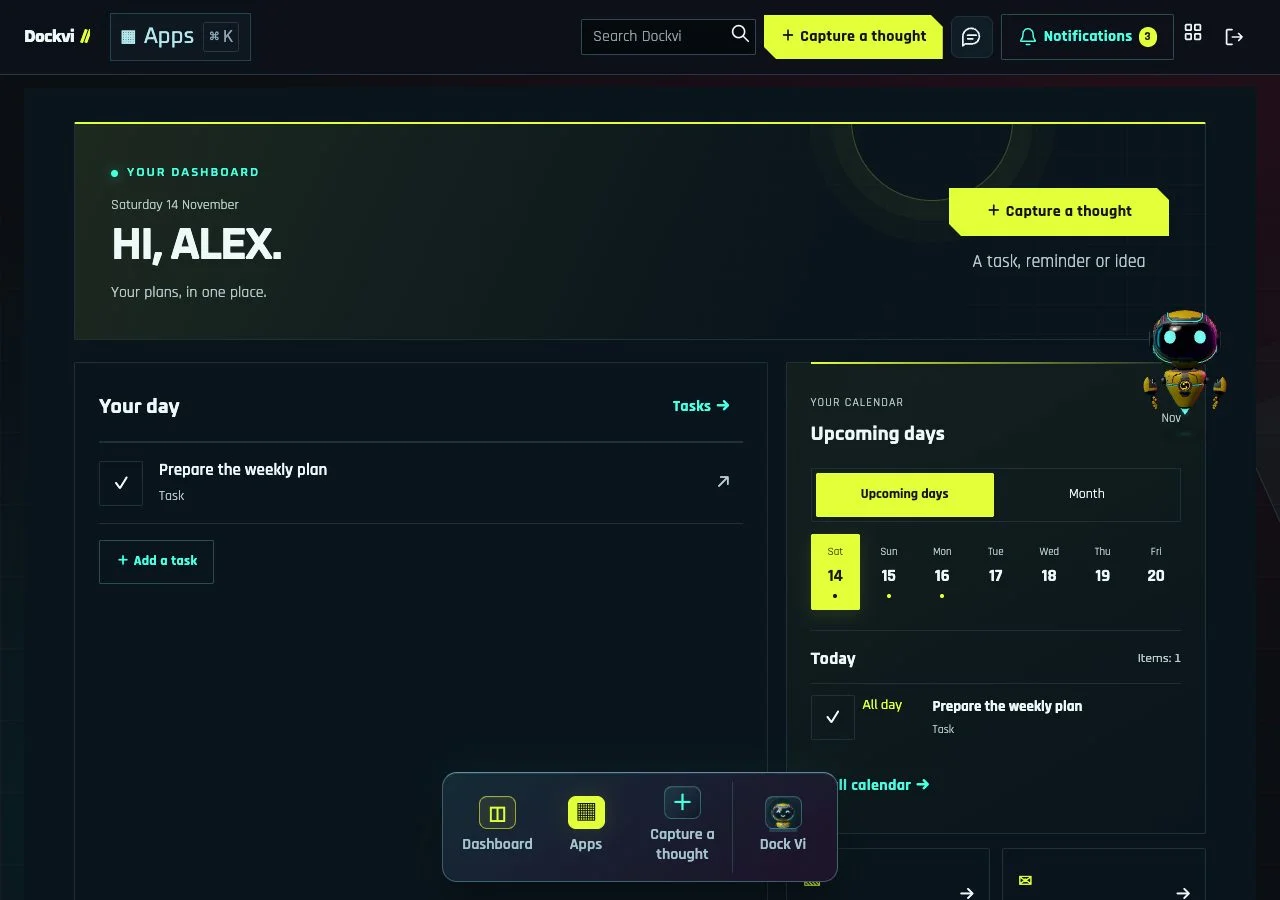
EVERYTHING CONNECTED
Dockvi apps can work with the same items. Capture something once and take the next step with a tap.
Capture a thought in one tap or write it in a note. When you’re ready to act, turn it into a task with a due date.
Turn a message from a friend into a personal task, reminder or meeting. In Mail, create a task linked to the selected conversation. Review the details before saving.
See task deadlines, meetings and reminders together on your calendar. Connect Google Calendar separately and choose whether Dockvi can write to it.
Build a dashboard from the apps available to your account and add the weather. A widget displays data within the access already granted to your account.
Track expenses, bills, subscriptions, loans and instalments. Dockvi reminds you about dates. Banking, transfers and repayments happen outside Dockvi.
What can connect. Links work between the Dockvi apps available to your account. Connect your mailbox or Google Calendar from the relevant app and disconnect them whenever you need to. Other services are not synced automatically.
YOUR DAY WITH DOCKVI
Tasks, calendar, notes and shopping in one place. See how Dockvi fits in from your first coffee to the last item you tick off.
Start on one screen with today’s tasks, meetings and anything overdue.
An idea on the go? Use “Capture a thought” and get back to what you were doing.
Save decisions in a note linked to a task and keep the context handy.
Keep your list on your phone and tick things off one-handed.
See what’s done and move the rest to tomorrow. Clear head.
TRY IT YOURSELF
Write your thought as it comes to you. You can add a date: today, tomorrow, the day after tomorrow, in a week, in 3 days or on Friday.
The demo runs in your browser. It sends and saves nothing. In the app, choose an entry type and confirm to save.
DOCKVI AI ON AIR
I have a few circuits and some pretty good intentions. Tell me what’s on your mind.
Play with the robot’s effects. Your items stay as they are.
This demo shows the mascot without connecting to a model. In the app, local commands run without paid AI. External models are available for owner testing.
How it helps and what you controlCLOSED BETA
Access is by invitation. Your account keeps your data separate from other users. You choose which items to share.
The beta is free and apps are assigned to your account. Free and paid plans are in preparation. Prices and sales have yet to launch.
Access is by invitation. If you have one, open the sign-in screen and choose “I have an invitation code”. You can ask for an invitation at kontakt@dockvi.com. Public registration is not open yet.
The free plan covers everyday organisation: tasks, the local calendar, reminders, notes, shopping lists, a basic workout log, meetings, friends and chat, the dashboard and the local assistant. The paid plan adds Mail, Google Calendar, Boards, Finances, Family, Time off, shared tasks, body measurements and sharing. This is the planned split. In beta, access depends on the apps assigned to your account.
The beta is free. Sales and payments have yet to launch, and prices have yet to be announced. Dockvi does not collect payments or card details during the beta.
Use the apps you need. You can arrange your dashboard with widgets from selected apps and leave the rest out of the way.